The Last Forex EA You'll Ever Need.

Automate your trades, catch high-probability signals, and protect your account — whether you trade manually, semi-auto, or fully automated. Built for MT4 & MT5.

Automated Trading

Live Trade Signals

Professional Trade Manager

100+ AI-Optimized Trading Strategies

Prop-Firm Compatible

Drawdown & Profit Protection

Get Access Now

Try Free Version

Lifetime license · 14-day money-back guarantee · Instant download

One System. Every Tool You Actually Need.

Most traders piece together 3–5 different tools just to analyze, execute, and manage their trades. TakePropips replaces all of them — without forcing you to give up control.

Algo Traders

Set your strategy, press go. The EA scans for setups, executes entries, manages trailing stops, and closes trades — hands-free.

Prop-Firm Traders

Built-in drawdown protection and profit-lock automatically close trades when your daily limits are near. Pass challenges without babysitting your account.

Manual Traders

One-click entries, instant breakeven, partial closes, and a full trade manager panel — all faster than doing it by hand.

Part-Time Traders

Can't watch the charts from 9 to 5? The EA monitors the market 24/5, fires alerts to your phone when a signal appears, and can execute and manage the trade automatically while you're away from your desk.

Here's What Happens After You Install It.

Step 1: The EA Scans the Market for You

Running 24/5 across your chosen pairs and timeframes, it detects high-probability setups using advanced algorithms. When a signal fires, it's plotted on your chart and an alert hits your phone, desktop, and email — entry price, take-profit levels, and stop loss included.

Step 2: It Executes — or You Do

Choose full automation and the EA opens, manages, and closes the trade without you touching it. Prefer control? Use the signal manually with the built-in trade manager for one-click entries, instant breakeven, and partial closes.

Step 3: Your Risk Is Managed the Whole Time

Trailing stops, breakeven protection, and drawdown limits run in the background on every trade. If your daily loss limit is approaching, it closes everything automatically — so one bad session never becomes a blown account.

Other EAs Do One Thing. This Does Everything.

Never Miss a Setup Again

The EA monitors your pairs 24/5, fires alerts the moment a signal appears, and can execute the trade automatically. You stay informed — whether you're at your desk or away from it.

Full Automation Without Losing Control

Run it fully automated, semi-automated, or purely manual. Switch modes anytime. You decide how much the EA does and how much you do.

Built to Pass Prop-Firm Challenges

Drawdown protection, profit-lock, and automated risk controls enforce your challenge rules without you having to watch the clock. Trade your strategy — the EA handles the guardrails.

Know Exactly How You're Performing

Detailed account reports break down your win rate, drawdown, pair performance, and trade history — so you can spot what's working, cut what isn't, and trade smarter over time.

Get Access Now

Try Free Version

Watch Video Overview

See how it works in action!

Alt image

Fully Automated Trading

Detects. Executes. Manages. All Without You.
 

Automatically detects high-probability setups, executes trades, and manages positions using advanced strategies — including trend trading, recovery options, and multi-position target trading.
 

Pre-built presets included — plug in and go.

100+ AI-Optimized Trading Strategies

Trend, Range, Breakout, Volatility — There's a Strategy for Every Market.
 

Access 100+ AI-optimized strategies designed for trending markets, ranging markets, volatility, and more.

Prefer custom? Build your own strategy without coding — or code one if you’re advanced.

Powerful Trade Signals

Entry, Take-Profit, and Stop Loss — Delivered to Your Chart and Phone.
 

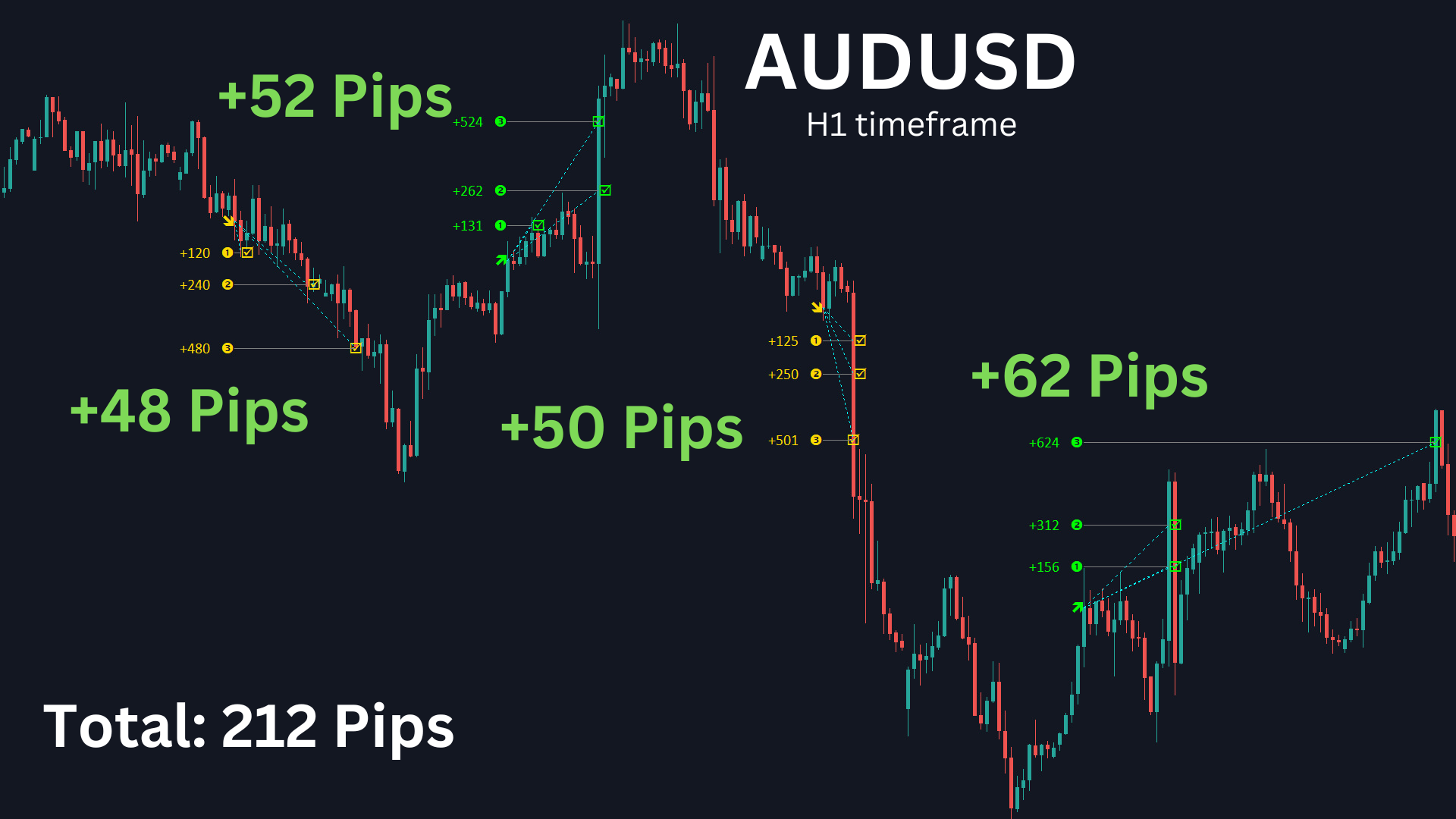
Signals are plotted visually on the chart with take-profit targets, plus alerts sent to MT4/MT5, mobile, and email — while scanning multiple pairs and timeframes automatically.

Professional Trade Manager

Take Full Control of Every Trade
 

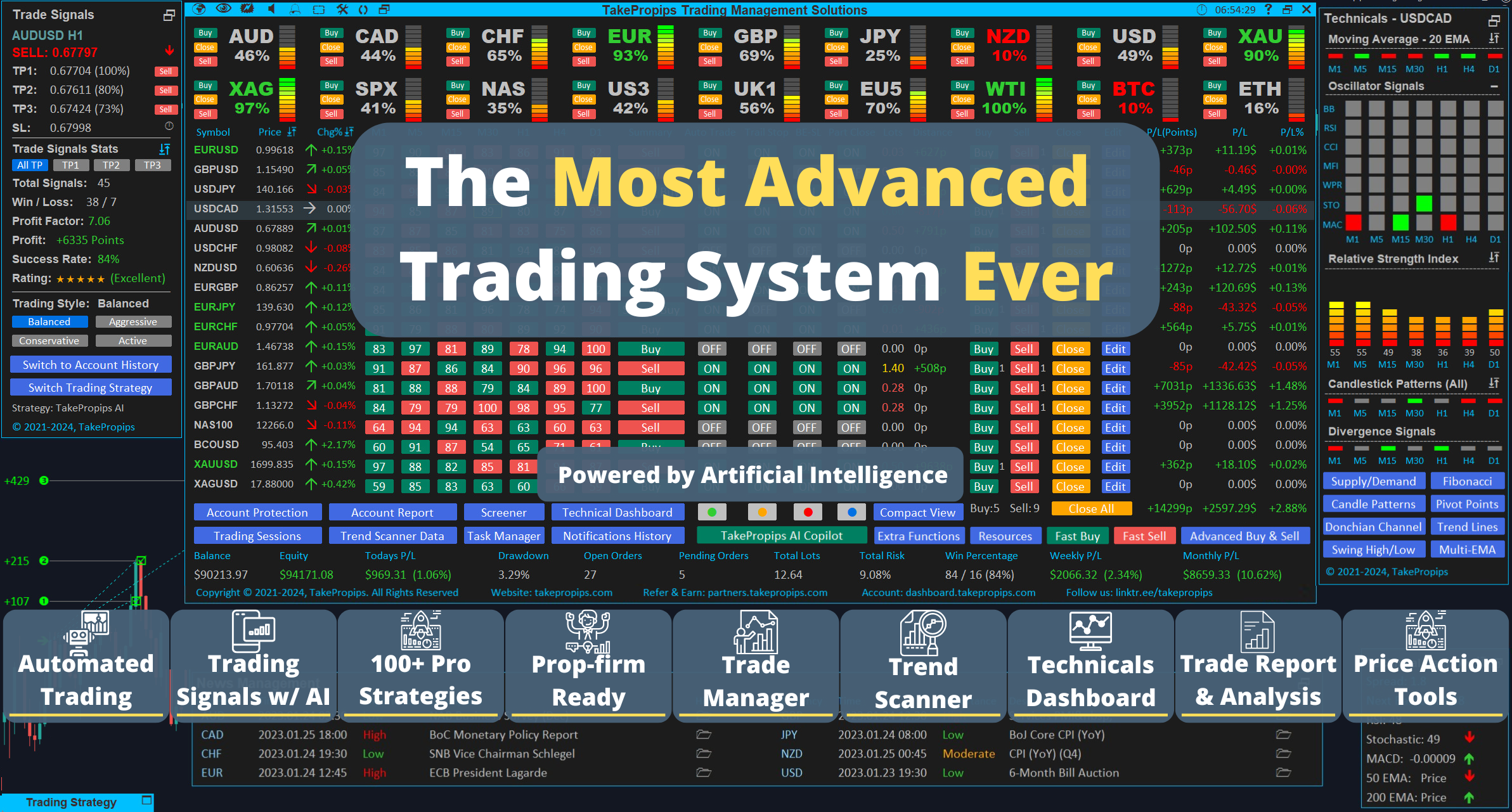
Manage entries, exits, trailing stops, breakeven, and partial closes — all from one dashboard inside MT4/MT5. Everything a professional trade desk does, in one panel.

Prop-Firm Protection

Don't Blow Your Challenge on One Bad Day.
 

Set your daily drawdown and profit targets once. If either limit is hit, the EA closes all trades automatically — so a single bad session never costs you the account.

Trade Journal & Performance Reports

Understand Your Trading Like a Professional
 

Win rate, drawdown, profit factor, pair performance, and full trade history — automatically tracked and broken down for you. Spot your edge. Cut what's costing you. Trade with a real data advantage.

TakePropips Trading Management Solutions EA

$975.00
$1,299.00
SAVE 25%
  • Lifetime license

  • Free updates included

  • Works on MT4 and MT5 — activate on 2 accounts

  • Included presets

  • Free remote installation if you need it

  • 24/7 developer support included

Platform
Payment Option

For more information on 2-payment split option, check our FAQ page

14-Day Refund Policy

Priority Support

Safe & Secure Checkout

Instant Download

Try It Risk-Free for 14 Days.

Not sure if TakePropips is right for you? Install it, test it on your account, and put it through its paces. If you're not satisfied within 14 days of purchase, contact us and we'll make it right — no lengthy back-and-forth, no hard feelings.

We'd rather earn your trust than keep your money.

Show all features

Automated Trading

Auto-Trading

Automatically open trades once a new trading signal has been detected.

Title

Auto-Lot Size

Automatically calculate your lot size based on your desired risk amount or risk percentage.

Title

Auto-Trade Presets

Optimized settings for each instrument that can be used for auto-trading only.

Title

Trade Signals

Trading Signals

Receive buy & sell signals for each instrument across multiple timeframes. Each signal contains up to 3 take profit targets and a stop loss target.

Title

Trend Scanner

Quickly determine the current trend of each instruments across all timeframes at a glance.

Title

Trade Signal Alerts

Receive notifications when new trading signals appear on your mobile phone or desktop. The information on the alerts will include the entry price, 3 take profit levels, stop loss level, and win rate.

Title

Notifications History

Review past trading signal notifications for each instruments.

Title

Trading Strategies

100+ Pro Trading Strategies

Over 100+ pro trading strategies included. Covers a wide range of trading styles and techniques including trend following, reversal, breakout, momentum, mean reversion, volatility, and price action strategies.

Title

Trend Range Strategy

Our most advanced strategy is built-in within the trading system and uses both a trend-based strategy & range-based strategy. Support for Balance, Conservative, Aggressive, & Scalper trading style.

Title

Adaptive Machine Learning (AI)

Uses machine learning algorithm to detect patterns and predict future price movements.

Title

No-Code Custom Strategy Builder

Switch to your own custom strategy using no-code builder. The strategy can be used to generate signals & for auto-trading.

Title

Dev Custom Strategy Builder

Switch to your own custom strategy by coding the main logic for greater flexibility. Requires coding knowledge of MQL4. The strategy can be used to generate signals & for auto-trading.

Title

Trade Manager

Market / Pending Orders

Supports for opening market orders and limit/stop orders.

Title

Task Manager

Automate tasks such as opening/closing trades once it hits a horizontal line or trend line, and price alerts.

Title

Lot Risk Calculation

Automatically calculate your lot size based on your desired risk amount or risk percentage.

Title

Hedge Trades

Easily hedge your trades by opening an opposite position with a simple tool.

Title

Reverse Trades

Easily reverse your trades by automatically closing a trade & opening an opposite trade, all in one step.

Title

Close Trades

Fully close a trade, partially close a trade, close all trades, close all profit, close all loss, close all buy, & close all sell options in just one click.

Title

Edit Trades

Edit your take profit, stop loss, & move stop loss to breakeven.

Title

Manual Grid Trades

Open a series of limit orders for recovery type trading in just one click.

Title

One-Click Trading

Quickly open a trade with a fixed take profit size, stop loss, and lot size in just one click.

Title

Technical Analysis

Currency Strength Meter

Automatically detect strong & weak currencies with alerts for pair suggestions

Title

Technical Dashboard

Quickly glance at the values of popular indicators across multiple pairs/timeframes.

Title

Advanced Screener

Easily find pairs that matches your desired technical filter.

Title

Next Bar Countdown Timer

Counts down a timer for the next candle on your chart.

Title

Technical Data Panel

Shows you the current value of popular indicators on the current chart along with spreads, volume & volatility.

Title

Account Reports

Account Reports

Show detailed statistics and performance of your trading account which can be filtered by pairs & date.

Title

Trade History

Shows your previous trade transcations which can be sorted & filtered by pairs & date.

Title

Pairs Performance

Shows the performance of each pairs traded on your account to determine the most profitable pairs.

Title

Account Statistics

Shows real time statistics of your account such as daily drawdown, win rate, equity, & profit/loss.

Title

Account Protection

Drawdown Protection

Avoid further losses once target drawdown is reached by automatically closing all trades for the day.

Title

Profit Protection

Avoid overtrading once desired overall profit is reached by automatically closing all trades for the day.

Title

Trailing Stops

Minimize your risk by reducing the size of your stop loss as the price moves towards your take profit target.

Title

Breakeven Stop Loss

Minimize your risk by moving your stop loss to breakeven price as the price moves towards your desired target.

Title

Partial Close

Minimize your risk by reducing the size of your position as the price moves towards your desired target.

Title

Fundamental Analysis using AI

Market Forecast

AI will provide market forecast for major forex pairs.

Title

News Events Analysis

AI will provide analysis on current news events for each major currency.

Title

Economic Indicators

AI will provide analysis on USA CPI, Unemployment Rate, Federal Funds Rate, Treasury Yield, Nonfarm Payroll, & Retail Sales.

Title

Trade Analysis

AI will analyze your current trade setups and it will give you recommendations and suggestions based on current market conditions.

Title

ChatGPT Assistant

Trained on TakePropips data, you can ask anything related to our products or on forex trading.

Title

Custom Strategy Creator AI

Ask AI for any trading strategy and it will provide you the code to implement as a custom strategy.

Title

Price Action Tools

Support / Resistance Zones

Automatically draws the support & resistance zones on your chart.

Title

Trend Lines

Automatically draws the trend lines on your chart.

Title

Fibonacci Retracement

Automatically draws the Fibonacci retracements on your chart.

Title

Candlestick Patterns

Automatically draws candlestick patterns on your chart.

Title

Pivot Points

Automatically draws the pivot points on your chart.

Title

Other Features

Trading Sessions

Automatically draw the market sessions on your chart for London, New York, & Tokyo sessions. Provides a range to calculate volatility of a specific session.

Title

News Management

Real time news panel that shows major events for each major currencies.

Title

What's included in my purchase?

Takepropips Trading Management Solutions EA

You will receive all the files you need to run the EA on your MetaTrader 4 terminal.

User manual PDF

You will receive the user manual PDF that explains all the features of the EA in more detail and each input setting is also explained in detail. The user manual also includes FAQ and Troubleshooting guide.

Installation Guide PDF

You will receive a detailed step-by-step guide for installing the TakePropips Trading Management Solutions EA. We also have video tutorial for installation on our YouTube channel. 

We offer remote installation for free if you are having trouble with the installation process.

Auto-trade presets

You will receive optimized settings for up to 15+ instruments which can be used for auto-trading.

Access to members dashboard

You will be given access to our members dashboard where you manage all of the licenses you have purchased from us.

Lifetime access and support

You will receive lifetime access of our indicator and free software updates. You will also get 24/7 customer support from our developers.

See trading results

Follow us on social media

Join us on our social media as we share handy trading tips, product tutorials, market analysis, and the latest updates. Whether you're a newbie or a pro, there's something for everyone. Let's learn, share, and grow together in the Forex world. See you there!

Telegram
YouTube
Facebook
TikTok
Twitter / X

See changelogs history

We've put a lot of effort into creating and updating our indicator, and we think you'll love it. We provide regular updates at no extra cost. Your feedback is crucial and helps us improve continuously. Ready to take your trading to the next level? Try our indicator and let's succeed together!

Show Changelogs History Page

Watch tutorial videos

Learn how to make the most of TakePropips Trading Management Solutions EA with our easy-to-follow video guides. From setup tips to advanced trading strategies, our tutorials cover everything you need to trade smarter and more effectively. Start watching now and level up your trading game!


Watch Tutorial Videos

Watch Trading Strategies

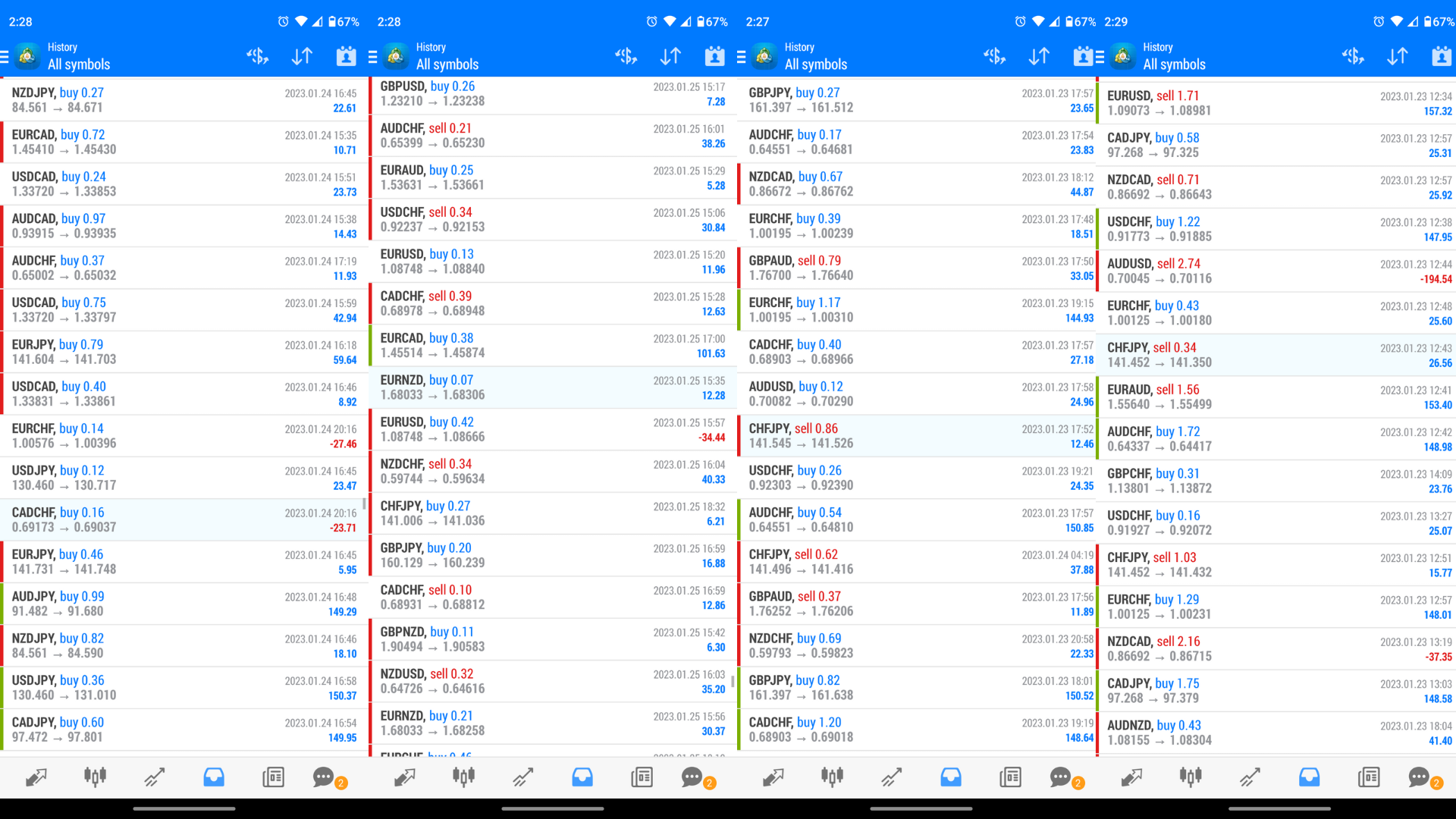
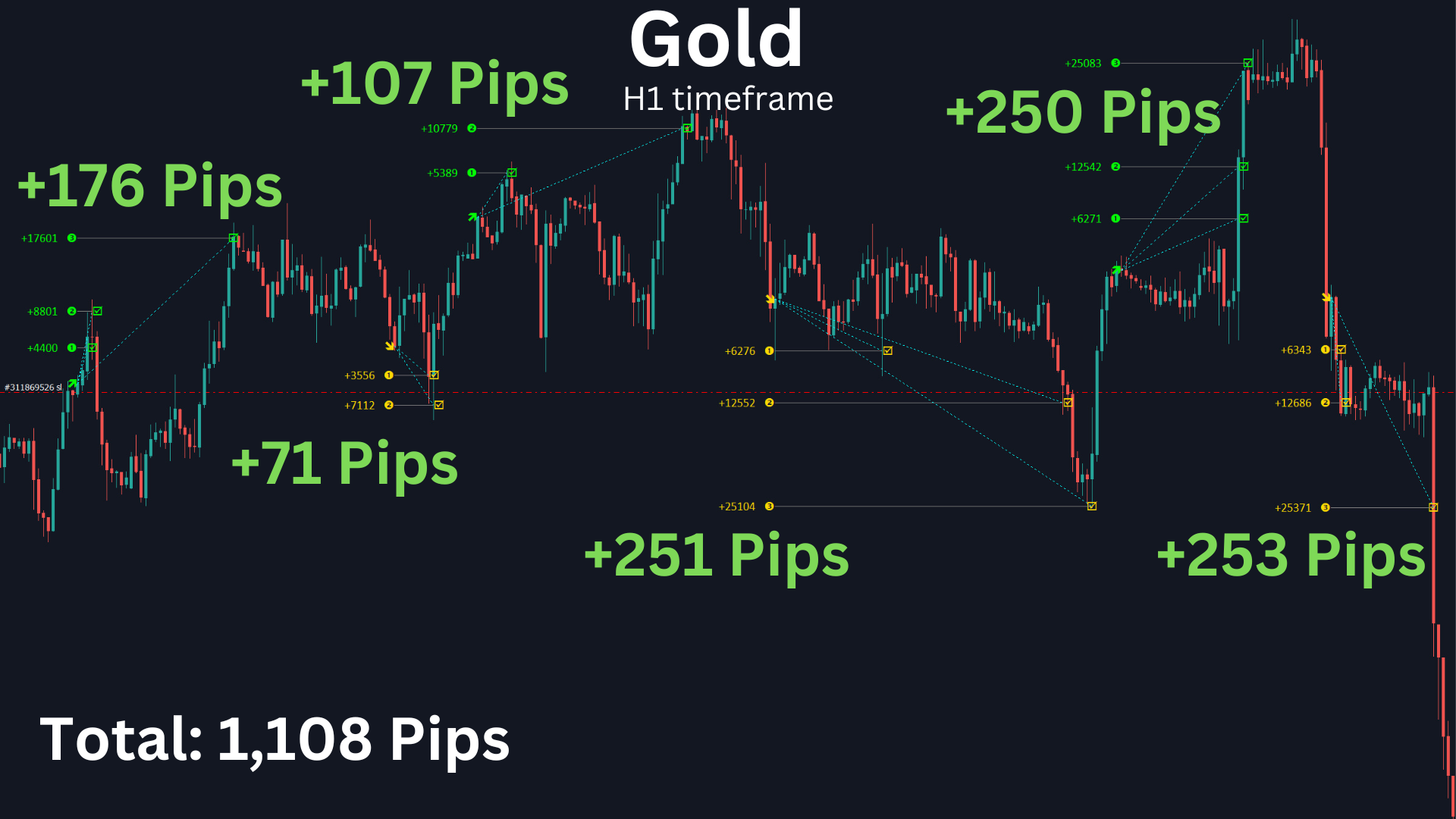
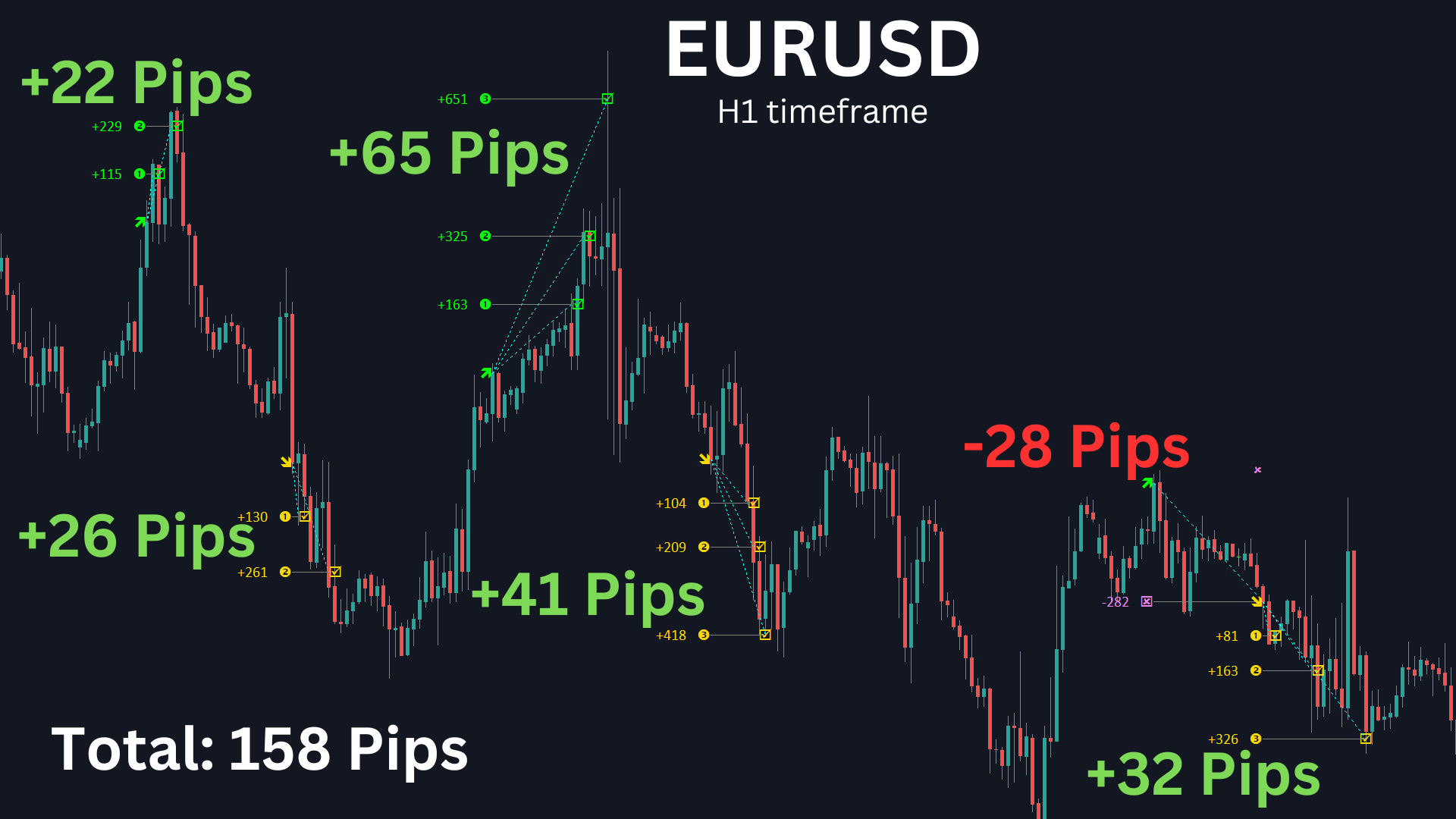
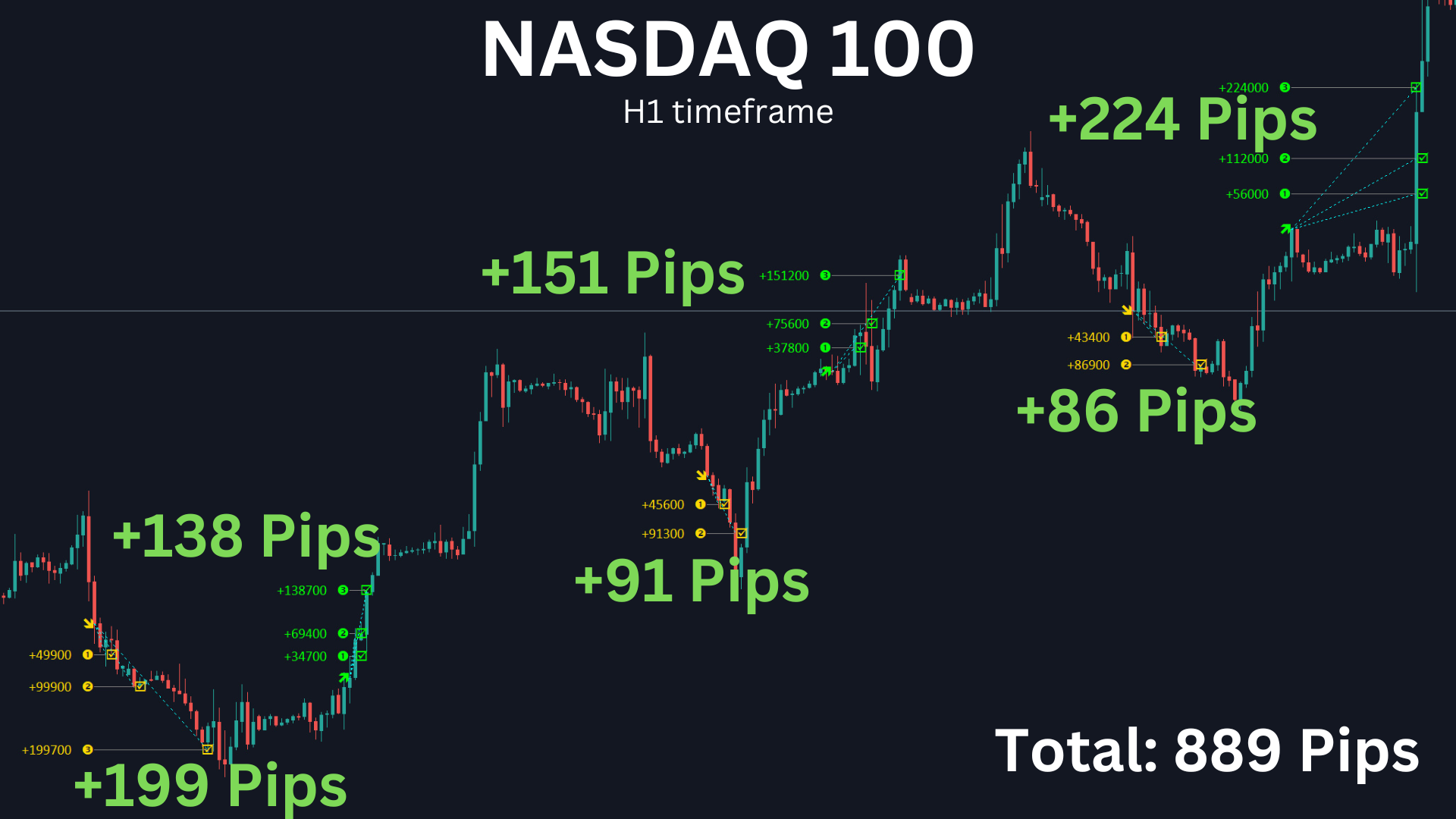
Real Traders. Real Results.

2700+ Active Traders  |  MT4 & MT5  |  4.7★ Average Rating  |  14-Day Money-Back Guarantee

Why Choose Us?

Most EAs do one or two things well. Here's what you get when they're all built into one system.

TakePropips

Typical EA

Trading strategies included

100+ AI-optimized

1–5 fixed strategies

Automation modes

Manual, semi-auto, fully automated

Fully automated only

Signal delivery

Chart + MT4/MT5 + mobile + email

Chart only

Risk management

Drawdown, profit-lock, trailing, breakeven, partial close

Stop loss only

Prop-firm tools

Drawdown protection + profit-lock

Not included

Strategy customization

No-code builder + full dev access

Not available

Performance reporting

Full journal, pair breakdown, win rate

Basic trade history

Support

24/7 developer support + free remote install

Email only

Pricing model

Lifetime license

Monthly subscription

Get Access Now

Try Free Version

frequently asked questions

Is this suitable for beginners or do I need trading experience?

You don't need to be an expert to get started. The EA comes with pre-built presets, a full user manual, and step-by-step installation guide. If you get stuck, our team will install it for you remotely — for free. That said, a basic understanding of MetaTrader and how Forex trading works will help you get the most out of it.

Do you offer free trial?

We don't offer a free trial at this time, but we do offer a free version of the EA you can download and test before committing. We also back every purchase with a 14-day money-back guarantee — so you can try the full version risk-free.

What is your refund policy?

We offer a 14-day money-back guarantee. If you're not satisfied for any reason, contact us within 14 days of purchase and we'll process your refund. No complicated process.

Is this compatible with my broker?

Our EA works with any MT4 or MT5 broker. If you're unsure whether your specific broker is compatible, feel free to contact us before purchasing.

How does it work?

The EA runs directly inside MetaTrader 4 or 5. It scans your chosen pairs and timeframes, detects high-probability trade setups using its built-in strategies and algorithms, and either alerts you or executes the trade automatically — depending on how you have it configured. It also manages the trade from entry to exit, including trailing stops, breakeven, and partial closes.

Which platforms does it support?

The EA runs on MetaTrader 4 and MetaTrader 5 on Windows PC or VPS. It does not run natively on mobile, but you'll receive signal alerts directly on your phone through the MT4/MT5 mobile app.

Can I trade any instruments?

Yes — the EA supports all major and minor Forex pairs, Gold (XAU/USD), indices, commodities, and crypto pairs available on your broker's MT4/MT5 platform.

Does it include risk management tools?

Yes. The EA includes automatic lot size calculation based on your risk percentage, trailing stops, breakeven stop loss, partial close, drawdown protection, and profit-lock. These work automatically in the background on every trade.

How does it generate trading signals?

The EA uses advanced technical algorithms to analyze price action and indicator data across multiple pairs and timeframes simultaneously. All signals are plotted directly on your chart so you can review past performance and understand exactly why each signal was generated.

What is the minimum account size?

There is no minimum account size required to use our trading system. You can use it with any account size, from small to large.

How will I receive the product?

You'll be redirected to your download page immediately after checkout, and a download link will be sent to your email. You can also access your files anytime through your members dashboard.

What payment methods do you accept?

We accept credit/debit cards, PayPal, bank transfers, Wise.com transfer, and Cryptocurrencies.

Do I need to leave my computer on for the EA to run?

Yes — the EA needs MetaTrader to be running to operate. If you don't want to leave your computer on 24/5, we recommend running it on a Windows VPS. We're happy to recommend reliable VPS options if you need guidance.

Can I use it on multiple computers and VPS?

Yes, you can use it on multiple computers and/or Windows Server VPS. The license is not locked to your computer hardware. The license is only locked to your account.

What happens after I buy — how long until I'm set up and trading?

Most traders are up and running within an hour of purchase. You'll receive your files instantly, and the installation guide walks you through every step. If you run into any issues, our team offers free remote installation so you're never stuck waiting.

I have more questions, how can I contact support?

Still have questions before you buy? We're happy to help. Reach us at info@takepropips.com or via our contact page — we'll get back to you fast.